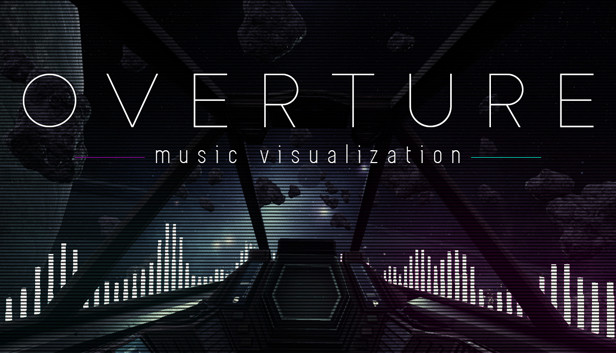
Overture Music Visualization news collects recent Steam feed items, update posts, and announcements that SteamPulse can associate with this app.
- Latest observed playersNot available
- SteamPulse tracked peak2
- Units sold (VGI)No data available
- Revenue (VGI)No data available
- Review score70% positive
- Total reviews46
- Release dateMar 4, 2021
- Developern/a
- Publishern/a
Genres: Casual
Company pages: Developer: n/aPublisher: n/a
Overture Music Visualization Steam news
Overture Music Visualization news collects recent Steam feed items, update posts, and announcements that SteamPulse can associate with this app.
Latest Steam announcements
- Leaving Early Access - 5 March 2021
After two years of development, Overture Music Visualization is finally leaving early access. This last major update knocks out a couple of big issues and a host of small ones: App Size I've managed to trim almost 10gb from the total size of the project - unused textures and meshes, deprecated scripts, outdated maps from previous major builds, etc. This update almost cuts the total size on disc by half, bringing it from ~20gb to 11gb. VR Fixes The VR spaceship scene has been basically functional for a while now, but contained many features that either didn't work properly or weren't an option at all. With this update, all VR features are implemented and functioning as they should. You can now use the motion controller to tap the screen in the cockpit and change post effects on the fly, as well as spawn additional reactive effects. Miscellaneous Bug Cleanup Fixed a number of small issues…
- Hotfix - Level Select - 13 November 2020
Quick hotfix to address an issue with two levels in the menu system that was causing menu breaks and crashes.
- Playlist Editor + Road to Full Release - 12 November 2020
This update is likely the last major update before Overture leaves early access. It adds a scene playlist editor which allows you to activate/deactivate any scene and reorder them however you prefer. I have completely reworked the way scenes automatically change from one to another to use the new playlist system, so any outstanding issues with scenes auto-switching are now resolved. Additionally, the old "low, medium, high" graphics settings have been replaced with a more standard graphics options menu. This includes settings for antialiasing, post processing, shadows, textures, effects and v-sync. Here's a list of other small issues addressed in this update: Microphone input added to save state Microphone auto-activates when switching scenes (if it was on previously) VR demo button now shows on the main menu All effects auto-apply when switching scenes (some were broken) Lighting fix f…
- Microphone Input Update - 28 December 2019
Update #6 | Microphone Input (Line-In) Update This update adds a frequently requested feature for microphone input. You can find the new setting in the in-game effects menu in the upper-right-hand-corner (it's a little circular icon that looks like a microphone). It can also be toggled on and off without bringing up the menu with hotkey 'M'. This captures your OS default microphone device just like your audio device, so all effects react accordingly based on your bitrate and sensitivity settings. You can switch seamlessly between audio and mic capture without any extra configuration. Additionally, the main menu has received a bit of a face lift, as I've added two brand new scenes to the mix. You can now select the new 'Space Station' and 'Campfire' scenes from the main menu or game options menu within a scene. Here are a couply of youtube videos showing them in action: Space Station: ht…
- Save State for Effects Update - 4 September 2019
Update #5 | Save State for Effects Update | Another semi-major update adding autosave functionality for all configurable effects - now you can configure your effects exactly how you like them, once, and they'll load automatically whenever you change scenes or restart the app. In addition, I've added the first round of scene-specific visual effects (full or mirrored bar spectrum on scenes with a split row of bars i.e. both spaceship scenes) and updated the "Change Scene" feature so that any amount of time in minutes can be specified. Previously, the only option was to automatically change scenes every 30 minutes. Also the VR demo is back! I've converted it to the new framework so it now has all of the benefits of standard desktop scenes. Autosave feature for all visual effects and options (including new ones) Auto change scene every X minutes instead of only every 30 minutes Scene-specif…
- Major Audio Framework Update - 3 June 2019
https://cdn.steampulse.org/steam/asset?u=https%3A%2F%2Fsteamcdn-a.akamaihd.net%2Fsteamcommunity%2Fpublic%2Fimages%2Fclans%2F34473415%2F58a40dc51d7a28811899a7d3d30c3a330258b7e2.png Update #4 | Audio Framework Update | This is a major update for desktop that's been around two months in the making, and marks the biggest step toward full release yet. I have removed the old audio capture framework entirely and replaced it with a much more stable one. This is an important step because it lets me update the engine version beyond what was possible with the old framework. It also adds a number of benefits for you guys: 100% better bass recognition (bass was basically ignored by the old framework) All known instances causing crashes and/or incompatibility issues are now resolved General performance improvements across all scenes Possibilities for new features in future updates There are a couple of caveats with this update. The VR demo has been temporari…
- Countdown Timer for Desktop - 27 March 2019
https://cdn.steampulse.org/steam/asset?u=https%3A%2F%2Fsteamcdn-a.akamaihd.net%2Fsteamcommunity%2Fpublic%2Fimages%2Fclans%2F34473415%2F3c3d8cc96dbd53cd07276765af842a164c451b20.png Update #3 | Countdown Timer for Content Creators | Today's update adds an optional countdown timer with configurable settings for use in streams or other types of OC. Content Updates: Countdown timer added to all desktop scenes New options in effects menu related to timer Fixes: Bad reference in one minimal scene causing framerate issues Small animation update for bars targeting smoother anims on z-axis Countdown Timer Functionality The new countdown timer is hidden by default, has configurable options for minutes and seconds, controls to start/stop the timer, controls to show/hide the timer, and some extra settings that let you customize the color and appearance. The new options are present in the in-game effects menu within a new panel that slides down from the top…
- VR Demo Motion Effects Update - 17 March 2019
https://cdn.steampulse.org/steam/asset?u=https%3A%2F%2Fsteamcdn-a.akamaihd.net%2Fsteamcommunity%2Fpublic%2Fimages%2Fclans%2F34473415%2F3844a09cb9bc53427a2eb2224769c21145f91633.png Update #2 | VR Motion Effects | This week's update adds some new content to the VR demo and a small fix. Details below: Content Updates: VR sphere effect - grip trigger on motion controller to spawn, right analog to change colors 4 new VR effects - available in touch-screen menu Optional 144 FPS cap - updated from 120 for desktop and VR Fixes: Thin horizontal line was appearing across viewport in VR, resolved now Weird/broken transitions from free cam to fixed cams in desktop mode New VR Effects Breakdown Reactive Spheres Spawn floating spheres with VR motion controllers which hover in the air and react to the music. Can be placed anywhere, dismissed/despawned by holding the trigger on either controller and poking them, and for now you may spawn an unlimited number of…
- Support for 2k, 4k, and Dual Display - 8 March 2019
https://cdn.steampulse.org/steam/asset?u=https%3A%2F%2Fsteamcdn-a.akamaihd.net%2Fsteamcommunity%2Fpublic%2Fimages%2Fclans%2F34473415%2F029ae33cb89b5cf9775c42b63e13eadae63d4110.jpg Update #1 | The Experimental Update + Hotfix | Today's update addresses a couple of small issues and expands desktop resolution support by a lot. Here's the details: Hotfix Issues fixed issue with VR hands spawning in front of camera on non-vr scenes fixed issue with scenes changing every 6 minutes instead of every 30 minutes when change scene option is enabled Experimental Settings These new settings appear in the pause menu from inside any scene (not from the main menu), and expand desktop resolution support with 6 new options. New Experimental Resolutions: 2560x1440 Fullscreen (2k) 2560x1440 Windowed (2k) 3840x2160 Fullscreen (4k) 3840x2160 Windowed (4k) 3840x1080 Fullscreen (Dual Display) 3840x1080 Windowed (Dual Display) These settings are considered experimental…
- OMV Short-Term Development Roadmap - 5 March 2019
https://cdn.steampulse.org/steam/asset?u=https%3A%2F%2Fsteamcdn-a.akamaihd.net%2Fsteamcommunity%2Fpublic%2Fimages%2Fclans%2F34473415%2F5056dacc3959e31772ddf06b3fc0cd337a46c9c7.jpg Now that I'm wrapping up all the small tasks related to the launch, I figured I'd go ahead and post the immediate development roadmap for Overture Music Visualization. I thought a bit about using semantic versioning because it looks cool and it's fun, but I'm a solo dev and there are effectively two branches bundled into one (Desktop and VR), so I think we'll just stick to a simple number, name, and tag system. Here's the format and some definitions: Update Number | Update Name | Tags Update Number: Starting from 1 and increasing by 1 whenever a new update is applied (This Friday's update will be Update #1) Update Name: Friendly name that provides a general synopsis of the update content (The Quality of Life Update, for example). Hotfixes will also be denoted here. Up…
- Overture Music Visualization launching with VR Demo - 1 March 2019
https://cdn.steampulse.org/steam/asset?u=https%3A%2F%2Fsteamcdn-a.akamaihd.net%2Fsteamcommunity%2Fpublic%2Fimages%2Fclans%2F34473415%2Fe6086d756119e12f416167d75e3785e29f8dfbfe.jpg Well hello, first of all. I've been working on the VR update for OMV for the last couple of weeks in anticipation of today's launch, so this is me announcing that the game will ship with a VR demo! Here's the breakdown: Overture Music Visualization VR Demo Notes: Accessible from "VR Demo" option in main menu Compatible with Oculus Rift + motion controllers Recommended as a seated experience, but can be used for standing/room vr Utilizes the unofficially titled "Space Patrol" scene, which is by far the most requested for VR Control schema for motion controllers displayed before launching VR No extra install/launch configuration necessary. OMV desktop mode launches seamlessly (more or less) into VR and back out to the main menu Standard HMD reset feature built-in, as we…
Patch notes and updates
| S.no | Release date | Patch name | GID number |
|---|---|---|---|
| 1 | 13 November 2020 | Hotfix - Level Select | 3872494575592420089 |
| 2 | 3 June 2019 | Major Audio Framework Update | 2400895196217707199 |
| 3 | 27 March 2019 | Countdown Timer for Desktop | 2465065785295177426 |
| 4 | 17 March 2019 | VR Demo Motion Effects Update | 3140604542252915639 |
| 5 | 8 March 2019 | Support for 2k, 4k, and Dual Display | 2530366080599104491 |
Interactive charts, reviews, news, prices, and comparison tools load in the full SteamPulse app.