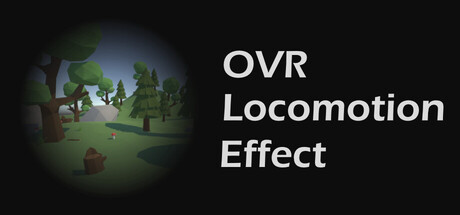
OVR Locomotion Effect : Anti-VR Sickness news collects recent Steam feed items, update posts, and announcements that SteamPulse can associate with this app.
- Latest observed playersNot available
- SteamPulse tracked peak1
- Units sold (VGI)No data available
- Revenue (VGI)No data available
- Review score100% positive
- Total reviews20
- Release dateMay 20, 2022
- Developerkurohuku
- Publisherkurohuku
Genres: Utilities
Company pages: Developer: kurohukuPublisher: kurohuku
OVR Locomotion Effect : Anti-VR Sickness Steam news
OVR Locomotion Effect : Anti-VR Sickness news collects recent Steam feed items, update posts, and announcements that SteamPulse can associate with this app.
Latest Steam announcements
- OVR Locomotion Effect 1.7.2 - 3 April 2026
This update fixes an issue where effect overlays stopped rendering correctly after the SteamVR 2.15 update.Preview mode and thumbstick-triggered effects should now work properly again.Changes:- Fixed effect overlays not appearing in SteamVR 2.15- Fixed preview overlays not displaying correctly- Fixed thumbstick input handling for effect activation- Improved Steam deployment tool compatibility with newer Steamworks SDK versions
- Store pages now support more languages - 12 September 2025
The store pages for OVR Locomotion Effect and the demo version OVR Locomotion Effect DEMO are now multilingual.Until now, the store pages were available only in Japanese and English.Newly supported languagesFrenchItalianGermanSpanishBulgarianCzechDanishDutchFinnishGreekHungarianIndonesianKoreanNorwegianPolishPortuguese (Brazil)Portuguese (Portugal)RomanianRussianChinese (Simplified)Spanish (Latin America)SwedishThaiChinese (Traditional)TurkishUkrainianVietnamese
- The store page for the demo version is now live. - 7 August 2025
Overlay tool to reduce VR motion sickness "OVR Locomotion Effect" demo store page is now live.The store page for the "OVR Locomotion Effect" demo, a tool to reduce VR motion sickness, is now available.Previously, the full and demo versions were on a single store page, but we've now created a separate page specifically for the free demo.This change allows users who haven't purchased the full version to write reviews on the demo's store page. If you tried the demo but decided not to buy the full version, we'd still appreciate any feedback you can leave in a review, which the developers will be sure to check.Additionally, the Unity UI asset used in OVR Locomotion Effect is now available for purchase on the Unity Asset Store: https://assetstore.unity.com/packages/tools/gui/ovrle-ui-dashboard-ui-kit-for-steamvr-270636We also offer a free tutorial on SteamVR overlay development. If you're int…
- v1.7.1 Russian supported - 25 March 2025
Support Russian. Change demo time limit from 2 min to 5 min. Fix small issues.
- SteamVR 2.0 UI theme update (V1.7.0) - 27 June 2024
Enchantments - New dashboard UI compatible with SteamVR 2.0 theme - Change twitter icon to X in the desktop window Bug fixes - Desktop icon links not worked For developers who interests in overlay app I released OVRLE UI that is SteamVR dashboard UI asset for Unity. If you interest in overlay tool development, check it out! https://assetstore.unity.com/packages/tools/gui/ovrle-ui-dashboard-ui-kit-for-steamvr-270636 Also I have written Unity + SteamVR overlay application development tutorial. https://dev.to/kurohuku/series/27740
- Virtual Desktop passthrough supported - 22 October 2023
Hi, have you tried the Quest 3 MR passthrough? Virtual Desktop the popular connection software between PC and VR HMD recently added VR Patthrought feature. It replaces a specific color from HMD output to passthrough video. Now, we added custom color vignette to use this feature. You can see peripheral passthrough vision instead of black vignette. This video is the test with Legendary Tales. This also works on Quest 1, 2 or PICO 4 with Virtual Desktop. How to use? 1. Connect HMD to PC with Virtual Desktop. 2. In STREAMING menu of VD, check VR Passthrough "Enabled". 3. Click "configure..." button, then select a passthrough key color. (e.g. R=0, G=255, B=0) 4. Toggle to SteamVR in VD and launch OVR Locomotion Effect. 5. Select Circle or Rect effect. 6. Set custom color to the color you set in VD config. Max value represents as 1. (e.g. R=0, G=1, B=0) 7. If you select Circle, change Gradien…
- Patch v1.5.6 - 12 September 2023
Bug fix for the last performance update. - Fix a bug that gamepad input is not recognized while tool window is background.
- Performance Update - 11 September 2023
v1.5.5 Tool performance is now greatly increased!! - Desktop side setting feature has disabled that caused problems about performance. - Fix a bugs around desktop window settings. - If you need to touch setting screen via desktop window without VR, pelase tell me details! I'll try to back it with more good way.
- v1.5.4 Fix dashboard UI - 1 September 2023
Fix a problem that the dashboard UI elements's border has slight gaps. Slightly improve dashboard UI performance.
- v1.5.3 Desktop mode - 27 May 2023
On v1.5.3, you can change settings by desktop window.
- Patch Update v1.5.2 - 25 January 2023
v1.5.2 Patch Update - Change: Ellipse keeps horizontal regardless of the HMD rotation when the room effect is used.
- Language update - 9 January 2023
v1.5.1 - Add French - Fixed some terms of German and Spanish
- Auto Brightness, German, Spanish update - 2 January 2023
Happy New Year! Here is the 2023 first update! v1.5.0 - Add "Auto Brightness". - Add German. - Add Spanish. - Add sidebar icons. - Adjust default setting values. Auto Brightness Auto brightness feature adjusts the grid brightness of the room effect automatically. When you push a thumbstick, this tool calculates the average brightness from a game scene. If you walk under the sun, it makes the grid bright. When you explore a dark cave, the grid changes to dark. You can toggle this feature from Room Setting > Auto Brightness. Language Support German and Spanish are added. If you help translate, please check this sheet and contact dev via official discord or twitter. https://docs.google.com/spreadsheets/d/1tgkIYqT3WzoMLksAu_GDM59Ei4MEeFNyT7hgVXoS5S0/edit?usp=sharing Other New sidebar icons are added. The default setting value is adjusted when the first launch.
- v1.4.7 Korean Supported - 15 October 2022
We added Korean into supported language. Select "Setting > Language > 한국어" to enable Korean. If you help to translate, please DM me on the official discord or twitter. https://docs.google.com/spreadsheets/d/1tgkIYqT3WzoMLksAu_GDM59Ei4MEeFNyT7hgVXoS5S0/edit?usp=sharing
- v1.4.6 Pico Controller Supported - 9 October 2022
We added an official controller binding for PICO controller. We tested on the PICO4 HMD. - Add PICO controller official binding.
- v1.4.5 patch update - 28 August 2022
v1.4.5 Patch Update Prevent unnecessary logging about controller connection when the dashboard is opened. This update improve performance in SteamVR dashboard.
- v1.4.4 patch update (Windows Mixed Reality bug fix) - 11 August 2022
v1.4.4 Bug fix - Crash after launch on Windows Mixed Reality
- v1.4.3 Patch update - 3 August 2022
Add log files and a setting file for support. Please send these files when you report a bug. Log file Add application log file "Player.log" to this location. Paste this path to the windows explorer navigation bar. %USERPROFILE%\AppData\LocalLow\kurohuku\OVRLocomotionEffect\Player.log Setting file Add a setting file "setting.json" to this location. This includes effect settings. If you have some error, try to delete this file then the tool is initialized to default setting. Send this file with the above log file when you report a bug. %USERPROFILE%\AppData\LocalLow\kurohuku\OVRLocomotionEffect\setting.json
- v1.4.2 : Add SNS links - 11 July 2022
- Add SNS links to the desktop window. - Add an official discord link to the setting dashboard.
- Official Discord - 8 July 2022
Here is an OVR Locomotion Effect official discord server. If you have questions, requests, bug reports, please post here. https://discord.gg/G4kkvfn I also check steam discussions too. Feel free to post your feedback anywhere.
Patch notes and updates
Interactive charts, reviews, news, prices, and comparison tools load in the full SteamPulse app.