Full game metadata
| Field | Value |
|---|---|
| Steam app type | game |
| Steam App ID | 1398470 |
| Live current players | 0 |
| SteamPulse tracked peak | 0 |
| Live count (today's peak floor) | 0 |
| Price | $5.99 |
| Free to play | No |
| Discount | 0% |
| Original price USD | $5.99 |
| Current price USD | $5.99 |
| Release date | Sep 5, 2020 |
| Developer | Jason Dale Swisher |
| Publisher | Jason Dale Swisher |
| Owners estimated | Not available |
| SteamSpy owner estimate minimum | Not available |
| SteamSpy owner estimate maximum | Not available |
| Review type | Not available |
| Positive review percent | Not available |
| Positive reviews | 0 |
| Negative reviews | 0 |
| Total reviews | 0 |
| Steam recommendations | Not available |
| Achievements | Not available |
| Average playtime forever | Not available |
| Windows support | Yes |
| macOS support | No |
| Linux support | No |
| Parent game | Not available |
| Store URL | https://store.steampowered.com/app/1398470/ |
Short description
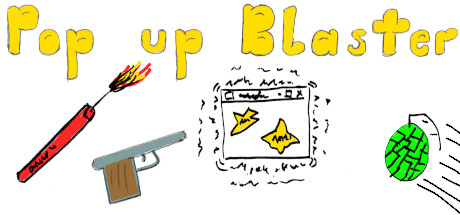
Pop up Blaster is a game that allows you to shoot popups with guns, and lob grenades and dynamite at them as well. If you do not like guns, you can shoot popups with flowers instead. If you do not like the realistic sounds, you can change them as well. All of the settings can be saved.
About this game
Removed EULA I decided to remove the EULA, I have a feeling that it was unnecessary. About the Game Pop up Blaster is a game that allows you to shoot popups with guns, and has various options that allow you to change everything from how hard the game is, to how the game looks and sounds. In total, there are seven different settings, if you include difficulty. ----- How to play ----- ----- starting a round ----- With the cursor, left click the power button on the in game computer. To instantly end a round, you can left click on the power button again, if your score is at least higher than the lowest high score, it will be saved When you start a round, you will only have access to a hand gun, however as you gain points from shooting pop ups, you will be able to upgrade it to an auto hand gun, and then to a machine gun. You can also unlock a shot gun as well as explosives, the explosives will destroy all the pop ups on the screen at the same time, with the upgrade being a faster reload time. ----- Attacking ----- When you move the cursor far enough into the in game screen, your current weapon will appear, left click anywhere in the screen to use your current weapon. Each weapon has a different rate that it can constantly fire at, with the slowest being the shot gun, and the fastest being the machine gun. You can hold down the left mouse button to fire continuously, or press and release it to fire a single shot. The grenade and dynamite work differently than the other weapons, both have a delay between the time that you use the weapon, and the time that the weapon detonates. You can switch to another weapon and shoot popups while they are flying through the air. ----- reloading ----- For the exception of the grenade and dynamite, each weapon has a maximum amount of ammo, when they run out you have to reload them. When they run out of ammo, their icon will change to "reload weapon", and "reload weapon" will appear above the in game screen. Left click on the "reload weapon" icon and a reload animation will start. When the animation completes, the weapon will be reloaded. You can switch your current weapon while you wait for the weapon to reload. When the weapon is r…
Supported languages
English * * languages with full audio support