Full game metadata
| Field | Value |
|---|---|
| Steam app type | game |
| Steam App ID | 2003420 |
| Live current players | 0 |
| SteamPulse tracked peak | 2 |
| Live count (today's peak floor) | 0 |
| Price | $1.99 |
| Free to play | No |
| Discount | 0% |
| Original price USD | $1.99 |
| Current price USD | $1.99 |
| Release date | Jun 16, 2022 |
| Developer | Bonk'd Industries |
| Publisher | Bonk'd Industries |
| Owners estimated | Not available |
| SteamSpy owner estimate minimum | Not available |
| SteamSpy owner estimate maximum | Not available |
| Review type | Positive |
| Positive review percent | 100% |
| Positive reviews | 11 |
| Negative reviews | 0 |
| Total reviews | 11 |
| Steam recommendations | Not available |
| Achievements | Not available |
| Average playtime forever | Not available |
| Windows support | Yes |
| macOS support | No |
| Linux support | Yes |
| Parent game | Not available |
| Store URL | https://store.steampowered.com/app/2003420/ |
Short description
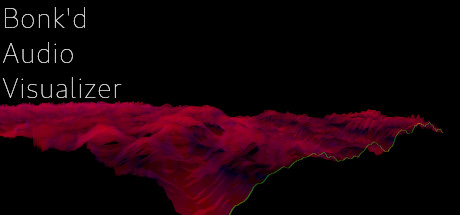
Lightweight 3D audio visualizer with a minimalist, modern design.
About this game
Features The Bonk'd Audio Visualizer is a 3D audio visualizer written in C/C++ with Vulkan, designed for Linux first, Windows second. It is designed to be lightweight, fast, and low latency. Future planned features include: -Desktop background rendering -Customizable colors (can be customized with command line options right now) -Customizable speed (can be customized with command line options right now) -Customizable wave heights/sample rate/sample size (also customizable via command line options right now) Stretch goals depending on reception: -VR -Control of viewport -Gamification of some sort Usage Simply start Bonk'd Audio Visualizer and start playing your favorite music and enjoy! Fruther configuration can be changed with launch options, explained in the Manual.txt included with game files, soon to be available through a configuration file, and then potentially a UI to change things live. Hit escape to close the program. Notes If you're running on Linux by default the application uses PipeWire, an option to use straight ALSA is available with -alsa in the launch options, it presently connects to the mic instead of the default output device, a fix is in the works. Testing was completed on Fedora 36, but any linux with Pipewire and proper Vulkan drivers should work with the default settings just fine. Many features are available through launch parameters, customization of the rendering, swapping starting monitors, switching audio interface, and forcing usage of integrated or dedicated GPUs are just a few of the available options through launch parameters. These features are being moved into a config file, and then later into a GUI application, but have been provided as launch options to give access to them as early as possible. For convenience, the launch parameters are listed below, and are included in the Manual.txt in the software installation. Available options: Option syntax >>>> description -wh (integer) >>>>> set wave height, default is 25 -a (real number) >>>>> set alpha (transparency) default 0.25 -mt (integer) >>>> set move time default 6 -alsa >>>>> use ALSA instead of PipeWire (linux only) -window >>>>> run windowed instead of fullscreen -fi >>>>…
Supported languages
English * * languages with full audio support