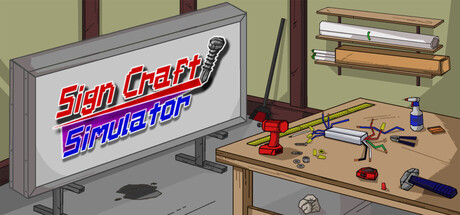
Sign Craft: Simulator news collects recent Steam feed items, update posts, and announcements that SteamPulse can associate with this app.
- Latest observed playersNot available
- SteamPulse tracked peak1
- Units sold (VGI)No data available
- Revenue (VGI)No data available
- Review scoreNot available
- Total reviewsNot available
- Release dateJan 13, 2026
- DeveloperIndiemaniaDev
- PublisherIndiemaniaDev
Genres: Indie, Simulation
Company pages: Developer: IndiemaniaDevPublisher: IndiemaniaDev
Sign Craft: Simulator Steam news
Sign Craft: Simulator news collects recent Steam feed items, update posts, and announcements that SteamPulse can associate with this app.
Latest Steam announcements
- Full version update 1.3.1, yay! - 11 January 2026
Hey everyone! This update brings us to the full version of Sign Craft: Simulator! I've been working on this game for quite a while. It always is a cool feeling finishing a game. It's not a super long game, perhaps about an hour or so, depending on playstyle. A bit longer if you go for 100% achievements. Anyways, this is not a huge update. It adds an ending sequence that can be seen when clocking out on Friday, in Week 3 in Job Mode. I added a bit of stuff to the shop environment, like a pickup truck, the player's car and a big sign truck. They can't be driven, they are just decorative. The update also has some various bug fixing and whatnot. An ending has been added to the game! 1 achievement for completing the game; New cat character (dialogue in Week 3); New setting for V-Sync and max framerate. Turn V-Sync off to manually set max framerate; Extra shop environment stuff, like overhead…
- Patch 1.3.0 makes an electrifying entrance! - 9 December 2025
This patch brings new content! It includes Week 3 gameplay. This new week of gameplay adds the electrical side of sign fabrication, which is something I've been wanting to include for a long time. I feel that I'm getting close to releasing the full version of the game. Depending on how things go, it might be the next update. It will probably be a small update, to add a little ending and maybe a few other things. Patch version 1.3.0 notes: Week 3 Gameplay: introduces the electrical side of sign fabrication; Introduction Sequence: Now Job Mode has a little introduction when starting a new file; New Character: In Week 3, a new cat character is introduced. She is there to discuss the electrical stuff; New Basic Tasks: There are two new Basic Tasks, recycling wire and trimming overgrowth; New Work Orders: There are two new Work Orders for the two new sign types; New Achievements: There are s…
- Update 1.2.0 has arrived at last! - 3 May 2025
Hello again! I apologize for the long delay between updates. Week 2 focuses on completing Work Orders. They are where you build signs to required specifications to earn experience points for leveling up. The leveling system is barebones as of this update, but there are at least some achievements tied to leveling up. Update version 1.2.0 notes: Week 2 gameplay; 10 new achievements; Added new Job type: Work Orders! Use the Work Order folder to complete Work Orders. These orders are specifications for creating signs, such as sign faces and vinyl types, quantity, measurements, etc. You can view the sign blueprint for help with building the sign; More sound effects for actions/menus; Level Up/Exp gained widgets; Saw cut size menu. If you use the primary action key on the base of either the wall saw or drop saw, a menu will open. This menu allows you to set what measurement you want the cut t…
- Patch 1.1.0 has rolled out! - 4 July 2024
This update adds week 1 gameplay to Job Mode! You essentially go from Monday to Friday, completing Basic Tasks. When you have completed the amount of tasks that you want, you can "clock out" and progress to the next day. You earn experience from completing the tasks. Currently just week 1 gameplay is available, with Friday being the last day. The current idea for Job Mode is to start off completing Basic Tasks, leveling up your character and then later completing more complex tasks and Work Orders (building signs to specifications). Added Week 1 gameplay to Job Mode; 7 new achievements; Drop saw and wall saw fixes; Job stats tracking, sweeping, tasks, etc; New Player Menu, includes Player Stats and Job stats; Additional Basic Tasks programming; Evaluation Pallet equipment, this is for placing cut materials on to evaluate if their size is correct; Improved Dialogue System and more dialog…
- Patch 1.0.4 has arrived! - 1 May 2024
Sorry for the delay between updates. This one includes just a few things added to the environment, the early state of a new mode, a shop cat to introduce the mode, updated menu visuals, updated font, some other widget changes and bug fixing. I've been working on some behind the scenes stuff for the new mode that isn't quite ready yet. Job Mode! This is quite barebones right now, but I will try to get another update out for it soon. Currently there is just a little introduction and you can view the design of the basic tasks menu. The plan for this mode is to start with completing basic tasks (sweeping, trash collecting, material preparation, etc.) at first. Work orders (specifications for signs to build) will be included later on; A shop cat has been included! She will introduce the new mode. I added one achievement for it; Added a Job Mode menu where you can start, load and delete save…
- Patch 1.0.3 released! - 16 February 2024
Hey there! Next update I plan on trying to add more to the shop's environment and the sign building system. In the shop there is now an arcade cabinet, where you can play a silly sandwich making mini-game; A microwave has been also added to the shop to for added realism; 7 new achievements relating to the microwave and arcade cabinet; Fixed problems with tool progress bar when sweeping dust; Fixed glitch where sign face wasn't going transparent when highlighted while placed on frame (for easier drilling of screws into both face and frame); Fixed glitches with custom key binding where sometimes keys weren't getting properly swapped/removed; Fixed glitches with how sign face with vinyl is screwed onto sign frame; Now object actions widget correctly shows custom keys set for primary, secondary and scroll and override key; Various other fixes/improvements; Thanks for checking it out!
- Patch 1.0.2 says "Hello World!" - 12 January 2024
Hello again! Added one new achievement, with plans to add more! New Tool: Angle Grinder (Allows you to shave miniscule lengths off of a metal tube. Intended to be easier than using the saw for small cuts); New Tool Item: Metal Blending Wheel (for use with Angle Grinder); New Tool: Broom! There are two tool modes (use the '' keys to switch modes) for this tool! >Sweep Forward: when using this mode, the broom points forward and when you use it, it will send trashballs/dust piles flying! Single click action. >Sweep Downward: this mode allows you to 'clean up' dust piles until they are gone! Click and hold to sweep continuously! New Object: Dust piles! These can be swept up for immense satisfaction (as well as a cool achievement). These metal shavings spawn when you cut metal on the saw or use the angle grinder on an aluminum tube. Improved physics for pickup objects. For example, sometimes…
- Patch version 1.0.1 is here! - 28 December 2023
Hello! Sorry for the delay with this first update. This is just a small one for now. I plan on introducing more gameplay content in the next update (and some more achievements too)! Thank you for your support. :-) Custom key-binding in the controls menu; Improved how the measuring tape widget displays numbers; Some glitch fixing and a few improvements; New texture for the leaves on the trees (wow!); There is an option to reset all keys to default. There is still a bug or two I haven't squashed yet with the custom keys. Sometimes an additional default or previously removed key might be added when starting up Free Play. Reloading the area (or resetting to default a few times lol) gets rid of that glitched extra key. Will try to straighten that out very soon! Also, due to how Unreal Engine handles input, it does not register mouse wheel scroll inputs when setting custom keys. If you change…
Interactive charts, reviews, news, prices, and comparison tools load in the full SteamPulse app.