Full game metadata
| Field | Value |
|---|---|
| Steam app type | game |
| Steam App ID | 2677750 |
| Live current players | 2 |
| SteamPulse tracked peak | 5 |
| Live count (today's peak floor) | 2 |
| Price | $14.99 |
| Free to play | No |
| Discount | 0% |
| Original price USD | $14.99 |
| Current price USD | $14.99 |
| Release date | Jan 17, 2024 |
| Developer | RiftCat Sp. z o.o. |
| Publisher | RiftCat Sp. z o.o. |
| Owners estimated | Not available |
| SteamSpy owner estimate minimum | Not available |
| SteamSpy owner estimate maximum | Not available |
| Review type | Mixed |
| Positive review percent | 60% |
| Positive reviews | 124 |
| Negative reviews | 82 |
| Total reviews | 206 |
| Steam recommendations | 205 |
| Achievements | Not available |
| Average playtime forever | Not available |
| Windows support | Yes |
| macOS support | No |
| Linux support | No |
| Parent game | Not available |
| Store URL | https://store.steampowered.com/app/2677750/ |
Short description
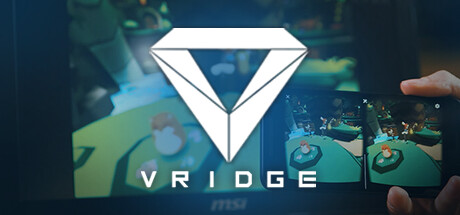
Use VRidge to transform your mobile device into a powerful PC virtual reality headset.
About this game
Adventure awaits you! Use your phone to experience full 3D gaming with HTC Vive and Oculus Rift titles . Rediscover games like Minecraft, Elite Dangerous, Microsoft Flight Simulator, Project Cars, War Thunder and many more in virtual reality. Affordable VR gaming solution Pair VRidge with an inexpensive mobile VR headset like Google Cardboard and experience PC-based virtual reality gaming with an affordable price. You don't have to spend money upfront, start by testing everything out with the free demo. Virtual Reality gaming in your hand VRidge will make your PC think that your phone is an expensive HTC Vive, Valve Index or Oculus Rift headset. Download VRidge on both devices, connect them together and enjoy. Rediscover your favorite games with GameWarp Enhance your VR experience with VRidge's GameWarp addon, which enables you to play non-VR games with your virtual reality hardware . GameWarp technology lets you display the game in your headset and control it using your equipment. GameWarp requires VRidge full version to run. Original VRidge + GameWarp purchases If you purchased the original VRidge before the Steam release, your license is still valid. You can download the legacy client at the bottom of RiftCat website to continue using it. About the Software VRidge connects your mobile device to your PC, transforming it into a powerful SteamVR-compatible virtual reality headset. It will then stream SteamVR apps to your mobile device as a high-performance video with full head and controller tracking. All you need is a mobile or cardboard VR viewer to enjoy the experience! Getting started Install RiftCat client application on your computer via Steam. Install VRidge on your mobile device and place it inside your mobile VR viewer. Launch both apps. Follow the built-in instructions in the RiftCat application to connect them via WiFi. Enjoy! Test your setup first Try out your VRidge hardware setup with the Demo version to ensure everything works correctly before making a purchase.
Supported languages
English, French, Italian, German, Spanish - Spain, Bulgarian, Czech, Danish, Dutch, Greek, Hungarian, Indonesian, Japanese, Korean, Norwegian, Polish, Portuguese - Brazil, Portuguese - Portugal, Romanian, Russian, Simplified Chinese, Spanish - Latin America, Swedish, Traditional Chinese, Turkish, Ukrainian, Vietnamese, Estonian, Lithuanian, Serbian, Slovenian