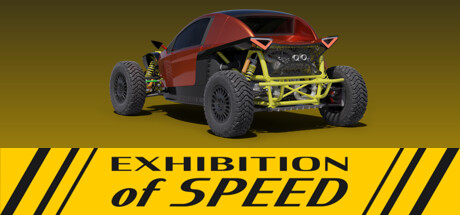
Exhibition of Speed news collects recent Steam feed items, update posts, and announcements that SteamPulse can associate with this app.
- Latest observed playersNot available
- SteamPulse tracked peak1
- Units sold (VGI)No data available
- Revenue (VGI)No data available
- Review score33% positive
- Total reviews3
- Release dateMay 24, 2024
- DeveloperExhibition Studios
- PublisherExhibition Studios
Genres: Racing, Simulation, Early Access
Company pages: Developer: Exhibition StudiosPublisher: Exhibition Studios
Exhibition of Speed Steam news
Exhibition of Speed news collects recent Steam feed items, update posts, and announcements that SteamPulse can associate with this app.
Latest Steam announcements
- Hotfix 0.4.1 - 28 February 2026
Fix an issue with a missing file not being exported by the editor which could cause a crash when loading vehicles for the race.
- Race against AI - 27 February 2026
Welcome to exhspd v0.4.0! This version introduces the first autonomous driving model and circuit racing.You can tune the autonomous driving settings for your custom vehicle in the Vehicle tab, Autonomous section, while you watch it driving in real-time.AI cars can also drive in custom tracks. Besides the racing line, the trackLimitL and trackLimitR lines must be provided to inform the AI about track limits. See the Manual for further info.Also checkout the updated Valdii SC250 under user://vehicles/Valdii_SC250/Valdii_SC250_v24.json which is better tuned for this version.What's newRace against AI.Autonomous driving during Build.Hood, bumper and driver cameras with corresponding rear view.Refreshed Valdii SC250 which can be loaded from user://vehicles/Valdii_SC250/Valdii_SC250_v24.jsonOption to disable visual tire deformation.Link wheels together using the symmetry option.Search nodes by…
- Update v0.3.0 - 7 October 2024
Welcome to exhspd v0.3.0! It is now possible to import custom maps into the game in the World tab, Race Track section. Custom maps can be created in the Godot editor and exported as PCK files to be loaded into the game. See the updated Manual for more details. What's new - Load new race tracks from PCK files. Fixes - Make sure steering wheel device is assigned as the FFB target. - Clear input when input override is unchecked. Known issues - Fanatec CSL Elite is detected by the game but input is not registered. What's next - Make the project open source and publish it on Github.
- Update v0.2.0 - 11 July 2024
Welcome to exhspd v0.2.0! What's new Create new wheels from external 3D models in GLTF format. Customize existing wheels by modifying their materials with new colors and textures. Create new tires from external 3D models in GLTF format. Browse wheels and tires in the library. Rename, select, delete and create new entries. Groups in the stats panel can be minimized and moved up/down. Gear ratios are stored in the vehicle JSON for now. They can be edited manually while there's no UI element for gearboxes. Fixes Changes to input settings are saved automatically. Known issues Application freezes momentarily when importing a wheel/tire and changing the node and axis of the left and right side because it's calculating geometric and physical properties from the mesh geometry. What's next Ability to import custom maps exported from Godot. Calculate wheel/tire properties in the background to avo…
- Update v0.1.2 - 1 June 2024
Welcome to exhspd v0.1.2! What's new Save custom suspension presets. Create suspension node using any of the presets saved. Full screen mode. Press Ctrl + Space to go full screen. Press Esc or Ctrl + Space again to exit. Use Shift+A to create nodes. Press the item's initials to navigate. Press Space or Enter to to select an entry. Option to manipulate the greenhouse with Center and Size. Camera position settings in Chassis node. Transforms can be multiplied using an Operator node. The result is the composition of two transforms, i.e. given two transforms trA and trB, the result trC would be trC.pos = trA.pos + trA.rot * trB.pos and trC.rot = trA.rot * trB.rot. Fixes Articulation node properties were not being saved. Free look camera navigation would stop instantly upon releasing mouse button and then it would move slightly without keyboard input due to residual velocity from previous in…
- Update v0.1.1 - 27 May 2024
What's new Settings have been added to the Articulation Node. Now the pivot points and the angular limits can be set. This allows trailers to be attached to the car. Fixes A bug that prevented importing external GLTF files has been fixed. Unused resource files have been removed, decreasing the download size. Free look camera can now move in multiple direction simultaneously. Enjoy!
Patch notes and updates
| S.no | Release date | Patch name | GID number |
|---|---|---|---|
| 1 | 28 February 2026 | Hotfix 0.4.1 | 1825727806713749 |
| 2 | 27 May 2024 | Update v0.1.1 | 5741605105620193450 |
Interactive charts, reviews, news, prices, and comparison tools load in the full SteamPulse app.