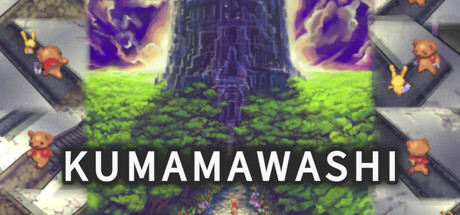
Full game metadata
| Field | Value |
|---|---|
| Steam app type | game |
| Steam App ID | 3332440 |
| Live current players | 0 |
| SteamPulse tracked peak | 1 |
| Live count (today's peak floor) | 0 |
| Price | $1.99 |
| Free to play | No |
| Discount | 0% |
| Original price USD | $1.99 |
| Current price USD | $1.99 |
| Release date | Nov 26, 2024 |
| Developer | Sologram Co.,Ltd. |
| Publisher | Sologram |
| Owners estimated | Not available |
| SteamSpy owner estimate minimum | Not available |
| SteamSpy owner estimate maximum | Not available |
| Review type | 1 user reviews |
| Positive review percent | 100% |
| Positive reviews | 1 |
| Negative reviews | 0 |
| Total reviews | 1 |
| Steam recommendations | Not available |
| Achievements | 2 |
| Average playtime forever | 1,575 minutes |
| Windows support | Yes |
| macOS support | No |
| Linux support | No |
| Parent game | Not available |
| Store URL | https://store.steampowered.com/app/3332440/ |
Short description
"The witch… took her." Bear's puzzle adventure, rotate panels in tower.
About this game
(´ ・( ェ)・`) (´・(ェ )・ ` ) Story: "The witch... took her." To rescue the kidnapped girl, the bear embarks on a solo journey, delving into the depths of the witch's tower. Game Overview: Rotate the panels to forge a path and lead the bear to the girl. Move the cursor forward, backward, left, right, and up or down to select and rotate panels, creating paths for the bear. The bear's stamina decreases over time, and when it reaches zero, it's game over. Stamina can be restored by touching orbs scattered throughout the tower, allowing the bear to explore further. The tower to be explored is wide, tall, and consists of stages with a sense of volume. With adjustable difficulty settings, you can enjoy puzzle action suited to your skill level. Key Operations: [Open Menu] Keyboard … Tab key Gamepad … Menu button, View button, Y button [Move Cursor Horizontally] Keyboard … WASD keys Gamepad … D-pad, Left stick [Move Cursor Vertically (Change Floor Level)] Keyboard … Up/Down arrow keys, Numpad keys 5 and 2 Gamepad … RB, LB buttons, Right stick (up/down) [Rotate Panel] Keyboard … Space key, Enter key Gamepad … A button [Rotate Camera] Keyboard … Left/Right arrow keys, Numpad keys 1 and 3 Gamepad … LT, RT buttons, Right stick (left/right) [Dash] Keyboard … Ctrl key, Numpad key 0 Gamepad … X button [Charge Attack During Combat] Keyboard … Space key, Enter key Gamepad … A button [Progress Story] Keyboard … Space key, Enter key Gamepad … A button [Skip Story] Keyboard … ESC key, Ctrl key, Tab key, Numpad key 0 Gamepad … B button, Menu button, View button, X button, Y button [Menu-Related Cursor Navigation] Keyboard … WASD keys, Arrow keys Gamepad … D-pad, Left stick [Menu-Related Confirm] Keyboard … Space key, Enter key Gamepad … A button [Menu-Related Cancel] Keyboard … ESC key Gamepad … B button Gameplay Details: Cursor Movement: Use the WASD keys or D-pad to move the yellow cursor up, down, left, and right. To rotate the panel under the cursor, press the Space key, Enter key, or A button, which will turn it 90 degrees counterclockwise. Rotate the panels to create a path and guide the bear deeper into the tower. However, some…
Supported languages
English, Japanese