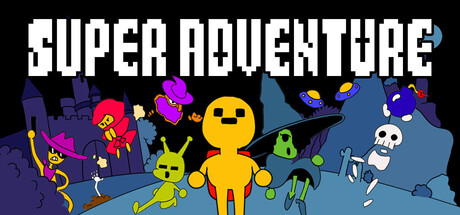
SUPER ADVENTURE news collects recent Steam feed items, update posts, and announcements that SteamPulse can associate with this app.
- Steam app typegame
- Steam App ID3578820
- PriceNo longer available on Steam Store
- Release date2026
- DeveloperNicolas Duggert, Kerris Dunkel
- PublisherSUPER SUPER SOFT
- Parent gameNot available
Genres: Action, Adventure, Indie, RPG
Company pages: Developer: Nicolas Duggert, Kerris DunkelPublisher: SUPER SUPER SOFT
No longer available on Steam Store. This app is no longer available for purchase on the Steam Store. SteamPulse keeps live player counts, media, metadata, and historical price snapshots where available.
Top Steam chartsTop 100 gamesGame directoryNo current Steam Store offer
SUPER ADVENTURE Steam news
SUPER ADVENTURE news collects recent Steam feed items, update posts, and announcements that SteamPulse can associate with this app.
Latest Steam announcements
- 1.0.4 Some Bugfixes - 27 November 2025
Nothing major just some bug fixes.Also some exploits where you could get infinite amounts of score by repeatedly respawning at certain points in the level where patched. Hooray!!
- 1.0.3 is here yippiee! Control rebinding Bug fixes, please read :) - 25 November 2025
Heyo everyone! Here is our first very little update :D We fixed some visual stuff here and there but more importantly fixed some bugs with the control rebinding menu. The way controls are saved now is a bit different, so to avoid any problems I recommend to reset your bindings in the Menu. If that does not work for you for some reason try to navigate to the Save file folder by following these steps: 1. Press Windows Key + R 2. Type in %appdata% 3. Find the Godot folder, open it and navigate to app_userdata/SUPER ADVENTURE Demo 4. There should be a file called input_config.cfg. Delete it. 5. Restart the Game! Input config should be reset to Default. Yay! There is also now a little prompt at the bottom of the screen at the Pause Menu which displays the currently binded navigation buttons. I hope these fixes and changes improve the menuing for rebinding the controls. Thanks! Have a wonderf…
- Demo out NOW! YIPPIEE! :D - 22 November 2025
We finally made a Demo! Hooray!!While not everything in this Demo is fully polished, we hope to show you a glimpse of what SUPER ADVENTURE is going to be like. If you have any feedback or find any bugs please let us know :) The Demo has its own Steam Page so you can leave a review there if you want to. We hope you have fun :)
Patch notes and updates
| S.no | Release date | Patch name | GID number |
|---|---|---|---|
| 1 | 27 November 2025 | 1.0.4 Some Bugfixes | 1817483467037875 |
| 2 | 25 November 2025 | 1.0.3 is here yippiee! Control rebinding Bug fixes, please read :) | 1816849002022498 |
Interactive charts, reviews, news, prices, and comparison tools load in the full SteamPulse app.