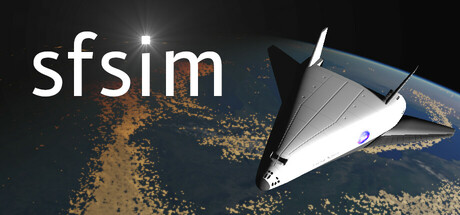
sfsim news collects recent Steam feed items, update posts, and announcements that SteamPulse can associate with this app.
- Latest observed playersNot available
- SteamPulse tracked peakNot available
- Units sold (VGI)No data available
- Revenue (VGI)No data available
- Review scoreNot available
- Total reviewsNot available
- Release dateTo be announced
- DeveloperJan Wedekind
- PublisherJan Wedekind
Genres: Simulation, Free To Play
Company pages: Developer: Jan WedekindPublisher: Jan Wedekind
sfsim Steam news
sfsim news collects recent Steam feed items, update posts, and announcements that SteamPulse can associate with this app.
Latest Steam announcements
- Shockwaves - 6 September 2026
I am excited to share early results of shockwave rendering with the community!I would like to add visualization of a glowing shockwave during atmospheric reentry in the sfsim spaceflight simulator. I explored possible approaches by discussing the problem with Google Gemini. Popular approaches seem to use meshes with animated semi-transparent noise textures. However this still leaves the problem of determining the shape of the mesh.Also the shape of the single-stage-to-orbit spacecraft is complex and the shockwave will look different depending on the orientation of the spacecraft. In the end, Google Gemini pointed out the Jump Flooding Algorithm (JFA), published in 2006. This algorithm essentially enables a real-time distance transform on the GPU. In this case, it can instead be adapted to fit a shockwave to each wind-facing surface patch and determine, for each pixel, which shockwave ca…
- Deferred Rendering - 27 August 2026
I have released version 0.30-1 of sfsim.This release introduces a major overhaul of the rendering code as well as a runway for the spacecraft. The rendering system is implemented using the Clojure programming language as well as GLSL. LWJGL3 is used to access the graphics card’s OpenGL bindings.The new rendering code uses deferred shading, which first computes and stores per-pixel geometry data in a geometry buffer (G-buffer), then calculates each pixel’s final lighting in a separate shader pass. Deferred shading makes it easy to render decals, which are essentially textures projected onto scene geometry. It also enables efficient real-time rendering of many localized light sources.Deferred rendering splits rendering into stages so geometry is processed first, lighting later.Step by step from the images:Geometry PassProjecting GeometryThe scene is made of triangles. A vertex shader is u…
- Metallic and roughness factor - 7 August 2026
I have released version 0.29-1 of sfsim.The Open Asset Import Library (assimp) which is shipped with the LWJGL3 library has been updated some time ago. I am now able to access the metallic value and the roughness value from the glTF exported by Blender. The metallic and roughness value are now used in the model shader programs so that the spacecraft has a more metallic surface.In the meantime I am still working on implementing deferred shading to facilitate rendering of a runway and localized light sources.Let me know any feedback and comments in the sfsim playtest discussion forum.Don’t forget to wishlist sfsim!
- Deferred shading - 16 July 2026
Currently I am working on deferred shading. This requires me to separate rendering into two passes:Geometry pass: render data to a point buffer, normal buffer, and a color buffer, etc.Lighting pass: use the geometry buffers to compute lighting including shadows and volumetric clouds.The change is quite a bit of work, because I have to split up the graphics code and the shaders for rendering the space craft, the planet, and the atmosphere.However this will facilitate rendering of runway textures which are at the same height as the rest of the scene but have a higher texture resolution. Simply adding textured polygons to render a runway does not work, because extra geometry placed at the same elevation as the ground causes z-fighting. Z-fighting is a rendering artifact where two surfaces are so close together that the depth buffer can’t reliably tell which one is in front.Another nice fea…
- Github CI - 30 June 2026
Hi,Here is release version 0.28-1 of sfsim.This release has a minor fix for time lapse limits. Also I have increased the coverage of the schemas used for checking correctness of the software.The bigger change which hopefully is not noticeable is that I am trialing Github CI builds. Github kindly provides free CI for public repositories. I was already using Github CI for running unit tests.Using an automated build process on a controlled environment has many advantages:less error prone than performing multiple manual build stepsconfiguration changes on developer machines do not affect software releasesbuilds for both Linux and Windows can be triggered from any computerthe complete build process including dependencies is capturedbuild logs are onlineit is easier for others to create modified buildsLet me know in the sfsim playtest discussion forum if there are any problems.Don’t forget to…
- Steam Achievements - 18 June 2026
Hi,Here is release version 0.23-1 of sfsim.I started adding achievements to sfsim.To begin with I added the following achievements:breaking the sound barrier: spacecraft exceeds speed of soundcrossing the Kármán line: spacecraft reaches altitude of more than 100 kilometersachieving stable Earth orbit: lowest point of orbit is above 160 kilometersI think achievements are a useful feature of Steam, because they give feedback to players about their progress in the game.Let me know in the sfsim playtest discussion forum if you have any thoughts. Don’t forget to wishlist sfsim!Enjoy!
- Rate Needles - 15 June 2026
Hi,Here is release version 0.22-1 of sfsim.I added rate pointers for roll, pitch, and yaw angles to the MFD. The pointers are arranged around the navball in the center.Top: roll rate indicatorRight: pitch rate indicatorBottom: yaw rate indicatorSee here for a detailed overview of the space shuttle primary flight display.The rate indicators make it easier to control the attitude of the craft. Especially in orbit it is important to control the orientation, because there are no aerodynamic forces stabilising the angles of the spacecraft.Let me know in the sfsim playtest discussion forum if you have any thoughts. Don’t forget to wishlist sfsim!Enjoy!
- Navball MFD - 12 June 2026
Hi,I have released version 0.21-1 of sfsim.The new version of sfsim shows a navball in the bottom right corner of the window. At the moment I configured it to show pitch and roll angle relative to the Earth’s horizon and yaw angle relative to the orbital plane. This should make it useful for orbital flight. I might change it to let the user select the yaw angle instead of aligning it to the orbital plane which changes during launch. I am also thinking of introducing a separate navball mode showing cardinal directions. Furthermore I would like to introduce attitude error needles once I get some guidance code working.Creating the navball was quite a bit of work. I used one of the textures from the NavBall Texture Changer for KSP as a reference. I recreated the texture because sfsim uses the B612 aeronautic font for increased readability.The proper name of the navball is Flight Director At…
- Orbit MFD - 4 June 2026
Hi,I have released version 0.20-1 of sfsim.sfsim now has an orbit display to make launching into an orbit easier. The orbit display shows a visualisation of the planet Earth and the orbit as well as several orbital parameters:periapsis altitudeapoapsis altitudecurrent altitudeeccentricityorbital periodtime to periapsistime to apoapsisvelocityinclinationlongitude of ascending nodeLet me know any feedback and comments in the sfsim playtest discussion forum.Enjoy!
- Reinforcement Learning of Rocket Launch - 28 May 2026
Hi,I have released version 0.19-1 of sfsim.This version introduces scaling of the graphical user interface. All the user interface elements are scaled up when switching to fullscreen or back taking into account the monitor resolution. This should make it easier to start implementing multi function displays (MFDs).Furthermore I am working on launch trajectory optimization. It is not optimal yet as the rocket should first go up to leave the atmosphere more quickly. I am using proximal policy optimization (PPO) which is a reinforcement learning method which has become popular. Hopefully PPO will be able to also solve the more difficult problem of reentry. If you want to know more about this reinforcement learning method, I posted an article about PPO at ClojureCivitas.Let me know any feedback and comments in the sfsim playtest discussion forum.Enjoy!
- Orbital Elements - 17 March 2026
Hello spacers,I released version 0.15-1 of sfsim. sfsim is a realistic 3D space flight simulator with an advanced single-stage-to-orbit space craft.This version displays some orbital information:height of periapsis above surfaceheight of apoapsis above surfacetime to periapsistime to apoapsisThis should make it much easier to achieve a stable orbit. For example if the periapsis is moving closer (or even was passed) in the later stages of a launch, you need to pitch up to prevent the spacecraft from dropping.Also Andrewkn’s Surrealism (Ambient Mix) is played when achieving low Earth orbit (both periapsis and apoapsis above 160 kilometer).Let me know any feedback and comments in the sfsim playtest discussion forum.
- Sound effects - 4 March 2026
Hello everyone,I released version 0.11-2 of sfsim. sfsim is a realistic 3D space flight simulator with an advanced single-stage-to-orbit space craft.I have now added several sound effects and a music track:Added Andrewkn’s At the Edge of Space for the event when crossing 100 kilometer heightAir flow noise depending on dynamic pressureDrag noise caused by air brakes and gearSound effects when retracting or deploying gearMain rocket engine soundSonic boomRCS thruster soundsTyre skiding soundLet me know any feedback and comments in the sfsim playtest discussion forum.Enjoy!
- RCS thrusters and renderer rework - 4 January 2026
Hello everyone,I released version 0.6-1 of sfsim. sfsim is a realistic 3D space flight simulator with an advanced single-stage-to-orbit space craft.The graphics implementation is now using deferred rendering to improve performance and facilitate rendering of small thrusters and lights. Using the “\\” key one can now toggle between aerofoil surfaces and RCS thrusters (please always see the keyboard shortcut page for up-to-date keyboard bindings). This is the first release of sfsim with RCS thruster physics. This means that you now can control the orientation of the spacecraft when outside the atmosphere! It should be now possible to get into orbit. Make sure you climb at a sufficient angle so that the atmospheric moments are weaker than the RCS thrusters when you start entering orbit. Note that information about orbital parameters is not implemented yet.I hope you will have as much fun w…
- Rocket plume for aerospike engine - 19 November 2025
Hi, I finally managed to release version 0.5-1 of sfsim. sfsim is a realistic 3D space flight simulator with an advanced single-stage-to-orbit space craft. The new version comes with rocket plume graphics. The plume was implemented using OpenGL shaders and uses volumetric rendering. I used the Shadertoy website to get ideas from other users and to develop the shader. The rocket plume shows Mach diamonds when the atmospheric pressure is high enough. It then expands with decreasing atmospheric pressure. If you want to, you can try out the Mach diamonds shader in your browser. The difficult part was figuring out the plume behaviour for different atmospheric pressure values and also the integration with the volumetric cloud shader. There is still some work left to be done for sfsim, but most difficult problems are solved now I think. Let me know any feedback and comments in the sfsim playte…
- Following camera and orbital physics - 25 August 2025
Hi, Version 0.4-1 of sfsim comes with a following camera and improvements to the physics engine. The camera now follows the vehicle and the orientation is controlled using the speed over ground vector. The numerical keypad can still be used to control the camera position. However the keys now control the yaw, pitch, and roll position. There also has been a significant upgrade to the physics code. In order to get sufficient accuracy for simulating orbits, a matching scheme using 4th Runge Kutta integration is used. Like this I am able to use the Jolt Physics engine for accurate simulations of space flight. See my article on orbits with Jolt physics for technical details. Let me know any feedback and comments in the sfsim playtest discussion forum. Enjoy!
- Joystick configuration dialog released - 28 July 2025
Hi,I finally got the first version of the joystick configuration dialog working. One can configure axes and buttons in the dialog. There also is a common dead-zone setting for all joystick axes. The configuration can be saved using the save button. The config gets saved in the ~/.config/sfsim directory under GNU/Linux. Under windows the configuration directory is %APPDATA%/sfsim.See keyboard shortcut page for up-to-date keyboard bindings.Edit: Thrust key is not space any more, sorry!Enjoy!
- Playtest is live! - 3 July 2025
Hi everybody! I have just pushed a playtest build to Steam and the button to join the playtest is visible on the sfsim page now. Before you join, please be aware that sfsim is still very much a work in progress and a lot of things are still missing! Also check the estimated graphics requirements on the sfsim page in case you want to run the game fullscreen. At the moment you can take off and fly around in the atmosphere and the aerodynamics should be fairly realistic.See keyboard shortcut page for up-to-date keyboard bindings. Note that you need to operate the rudder and flight stick in combination to prevent large side slip angles which cause the delta wing to roll. Let me know if there are any problems. I tested it on Windows 11 and Debian 12, but I hope it will run on other versions of Windows and GNU/Linux as well. If you have time, please head over to the sfsim playtest discussion…
- Landing Gear Physics - 30 May 2025
I have created landing gear animations with Blender, baked them, and exported the result to glTF. "Inverse kinematics", "Damped track", and "Child of" constraints where used to ensure that torque link, resistance rod, and piston are animated correctly. Animations affecting multiple objects are merged using NLA track names when exporting to glTF. I didn't find a way to create multiple animations affecting the same objects, so I had to sequence steering, suspension, and gear deployment in the same animation. Wheel rotation however was kept separate. The following screen recording shows Blender playing back the sequence of steering, suspension, and gear deployment in parallel with the wheel rotation. The model including the animations are imported using the Assimp bindings of LWJGL. The suspension and wheel rotation then can be driven using the wheeled vehicle constraint of the Jolt Physic…
- Working on Landing Gear - 7 May 2025
At the moment I am developing the landing gear for the spacecraft in the upcoming sfsim simulator. The Jolt Physics library provides a great physics implementation for wheeled vehicles. Previously I have implemented extracting a small part from the planet mesh and convert it to a Jolt Physics mesh. This then can be used to simulate the behaviour of the suspension and the wheels when the gear makes contact with the ground. I am also working on an animation for gear deployment. Blender supports different constraints such as inverse kinematics as shown in Mark Alloway's tutorial. Here is a video showing the first working version of the landing gear (doors not implemented yet). Only part left to do is baking animations, exporting it to glTF and driving the animations using information from Jolt Physics. Let me know if you have any comments or suggestions. If you are interested in a realisti…
Patch notes and updates
| S.no | Release date | Patch name | GID number |
|---|---|---|---|
| 1 | 7 August 2026 | Metallic and roughness factor | 1840310314346447 |
| 2 | 30 June 2026 | Github CI | 1836506165563734 |
Interactive charts, reviews, news, prices, and comparison tools load in the full SteamPulse app.