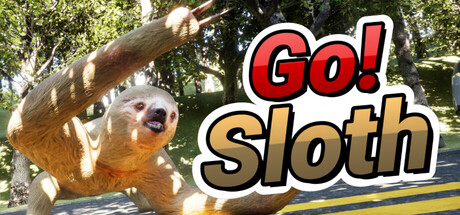
Go! Sloth news collects recent Steam feed items, update posts, and announcements that SteamPulse can associate with this app.
- Latest observed playersNot available
- SteamPulse tracked peak2
- Units sold (VGI)No data available
- Revenue (VGI)No data available
- Review score84% positive
- Total reviews19
- Release dateOct 11, 2025
- DeveloperPicoHatch
- PublisherPicoHatch
Company pages: Developer: PicoHatchPublisher: PicoHatch
Go! Sloth Steam news
Go! Sloth news collects recent Steam feed items, update posts, and announcements that SteamPulse can associate with this app.
Latest Steam announcements
- Update Version 1.0.2 - 25 October 2025
We have released an update to fix some issues.We apologize for any inconvenience, and please enjoy the game after applying the latest update.Version display after applying this update1.0.2You can check the version on the title screen.Update contentsBug fixesFixed an issue that prevented the game from starting due to screen misalignment.Adjusted the window mode to fill the screen on startup.Fixed credit notationThank you for your continued support of "Go! Sloth".
- Update Version 1.0.1 - 16 October 2025
An update file has been released to fix several issues.Please make sure to apply the latest update before continuing to play.Version after applying this update:1.0.1The version number can be checked on the title screen.Update DetailsBug Fixes・Fixed an issue where the timer would not stop after 3 minutes.Specification Changes・To improve overall stability, the option to change screen size has been removed.・The game now runs in full-screen mode only.・When applying setting changes, the game will now return to the menu screen instead of closing.If you had selected “Windowed” mode in the settings, a notice will appear when you first launch the game after the update to switch it to full screen.Press “OK” to begin the process. Once completed, the game will close automatically.You can then play as usual from the next launch.Thank you for your continued support of \.
- Regarding the Screen Misalignment Issue in Certain Environments - 12 October 2025
Currently, we have confirmed an issue in which, under certain environments, the display and the actual button positions become misaligned after changing the “Screen” settings.Changing the screen setting to “Fullscreen” will resolve the issue.If you are already experiencing this problem, please follow the steps below to correct it.Even if the cursor and button positions do not match, the button will change color when hovered over. Please click where the button color changes.【Steps to Change】1. Open “Settings” from the game launch screen2. Select “Fullscreen”3. Click “Save Settings”4. Select “Save”Once the settings are applied, the game will automatically close. The changes will take effect the next time you launch the game.Depending on your PC environment, it may take some time to close. Please wait until the process is complete.We sincerely apologize for any inconvenience this issue may…
Patch notes and updates
| S.no | Release date | Patch name | GID number |
|---|---|---|---|
| 1 | 25 October 2025 | Update Version 1.0.2 | 1814309641497537 |
| 2 | 16 October 2025 | Update Version 1.0.1 | 1813674388937335 |
Interactive charts, reviews, news, prices, and comparison tools load in the full SteamPulse app.