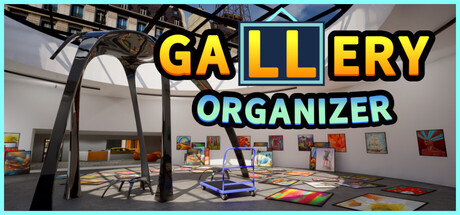
Gallery Organizer Playtest news collects recent Steam feed items, update posts, and announcements that SteamPulse can associate with this app.
- Latest observed playersNot available
- SteamPulse tracked peakNot available
- Units sold (VGI)No data available
- Revenue (VGI)No data available
- Review scoreNot available
- Total reviewsNot available
- Release dateAug 22, 2026
- Developer7D Games Studio
- PublisherNot available
Genres: Casual, Simulation
Company pages: Developer: 7D Games Studio
No longer available on Steam Store. This app is no longer available for purchase on the Steam Store. SteamPulse keeps live player counts, media, metadata, and historical price snapshots where available.
Top Steam chartsTop 100 gamesGame directoryNo current Steam Store offer
Gallery Organizer Playtest Steam news
Gallery Organizer Playtest news collects recent Steam feed items, update posts, and announcements that SteamPulse can associate with this app.
Latest Steam announcements
- V1.4.0 Release Notes - 13 October 2026
Added collisions on/off option for art stands Made all lights turn on when creating a new level When turning off the cart magnet, the paintings that are mid flight now finish their flight to the cart instead of hanging in mid air Made cart stop quicker when moving backwards to make it easier to steer in the right direction after reversing Made invert vertical aim setting also work when driving cart Updated credits for all artists and developers involved Made navigator reminders a bit further apart and never when you are in the right room Fixed nav arrow showing when painting nav is on and not holding a painting but when pointing at a painting on the floor. Fixed footsteps volume not responding on shiny wood planks Updated in game hints and How To Play UI section Made load screen symbol and spinner appear when pressing resume after launching the game
- V1.3.3 Release Notes - 11 October 2026
Added convert saved checkpoint PNG thumbnails to JPG format to make save files on disk smaller. This will happen one time only on game launch and will take just a few seconds and not happen again Added resume button on launch game if the latest save is an uncompleted game so you can resume without going to the load menu Made in game informative pop-up for Gloves, Grabber tool and extension appear when you point at them instead of when you pick them up, so you don't take a power-up if you want to play without them Upgraded tutorials wording Fixed navigator for painting not turning on if no painting is held Added navigator tutorial pop-up reminders to let player know that it's a map they can use when needed and not a power-up. Fixed Nav Upgrade reward not showing near end of game if you need it to find remaining few paintings Allowed player to turn on navigator when in lobby or office so…
- V1.3.2 Release Notes - 8 October 2026
Reduced camera smoothness and made zero value truly no camera smoothness Added how many painting hung of total to hang on saved checkpoint thumbnails Replaced a Lofi musical track
- V1.3.1 Release Notes - 8 October 2026
Updated Tutorial text for Navigator Updated Tutorial images for Where to Hang paintings Added a tutorial reminder for where to hang paintings if the player keeps putting them in the wrong place. Added a tutorial reminder for GPS navigator/Map if the player keeps moving further from where they need to go. Fixed crash that occurs when letting go of the cart while a painting is being attracted to it by the magnet Fixed stop sign for north direction never showing
- V1.3.0 Release Notes - 7 October 2026
Added Steam achievements Made pointing at paintings and power-up objects the same highlighting color
- V1.2.6 Release Notes - 6 October 2026
Fixed music volume not working for one of the tracks Fixed Controls settings screen layout and gamepad navigation
- V1.2.5 Release Notes - 6 October 2026
Set default frame rate limit to 60 Made the post-it notes with the artist's name the same color per art section Made light switches larger so that they are easier to see Updated the Where-to-Hang tutorial to only show information for currently played hanging difficulty Updated translations Updated UI layout to make text fit in all languages
- V1.2.4 Release Notes - 5 October 2026
Added navigator reward upgrade to let you easily find remaining paintings if all nearby areas are tidied up Updated cart navigator to take player to the shortest path where to hang paintings Upgraded magnet ability so it also sorts paintings as it attracts them Fixed wrong key press being displayed in cart magnet tutorial (in UI tutorial section as well) Updated game end scene
- V1.2.3 Release Notes - 2 October 2026
Made where to hang paintings tutorial appear in game after picking up the first painting Updated translations for where to hang paintings tutorial Fixed wrong key press being displayed in cart magnet tutorial Fixed a bug when paintings on carts in some rare cases did not reload properly
- V1.2.2 Release Notes - 2 October 2026
Added display artist name on HUD when pointing at or holding a painting Added separate key for trolley magnet Added on HUD control key hints for trolley magnet, gloves and grabber tool Made coffee GPS arrows only appear when coffee GPS is enabled Made painting markers for dark Space(cosmos) category walls easier to see
- V1.2.1 Release Notes - 1 October 2026
Made save after completion screen on happen when completing the game not when completion screen is shown after reloading a completed game. Fixed missing translations in Where to hang paintings tutorial Made labels for controls translations correctly update when language is changed
- V1.2.0 Release Notes - 30 September 2026
Made Powerup object to skill up easier to find Improved the look of the painting cursor Added sideways movements to trolley for more freedom of movement Added separate nav target keys and updated HUD Moved bottom right HUD icons to the left a bit so extension icon is not so close to edge Updated navigation GPS tutorial for in-game and in-menu Updated home menu button hover sound to a quieter sound Added missing painting thumbnail in easy mode at top right corner Removed hover sound on music track check boxes Add hanging dust particles to all UI screens Updated Where to Hang Paintings tutorial Reworked Controls Mapping Screen Fixed videos are not playing in tutorial screen when using the next button Fixed story intro showing on return to home screen from game after rest tutorial instead of return to home screen from gameplay settings Added ability to switch the tabs, gameplay, graphics,…
- V1.1.4 Release Notes - 25 September 2026
Added in game tutorial for Navigation System Fixed small bugs
- V1.1.3 Release notes - 24 September 2026
Power-up items now glow, to make them easier to spot.
- V1.1.2 Release Notes - 23 September 2026
Added Red(wrong), Yellow(in between), Green(correct) indicator for wall placement Added incorrect sound when trying to hang painting in wrong spot Changed post-it note artist name label colors to exclude red
- Version 1.1.1 Release Notes - 22 September 2026
Updated art section symbols to geometric shapes Updated paintings Added painting thumbnail on hud when holding a painting Made the held painting rotation smoother
- V1.1.0 Release Notes - 10 September 2026
Upgraded the Art Section Category System to Symbols instead of numbers (it’s more fun!) Added game ending sequence where player switched the gallery front door sign to open! Fixed bug with difficulty selection at game start.
- V1.0.7 Release Notes - 9 September 2026
Updated some of the paintings
- V1.0.6 Release Notes - 8 September 2026
Added wall markings where paintings are supposed to be hung. Added art section number indicators on wall art category label and HUD for medium difficulty mode. Added hanging position labels on walls and HUD for hard and harder difficulty modes. Moved magnet reward at 50% of all hung paintings. Changed painting bumping sound and prevent sound spamming. Added option to turn of paintings collision. Made aiming at wall spots fully robust at any angle. Refined cart steering assist. Added separate settings for walk/spring speed, cart speed and car steering sensitivity. Expanded tutorial. Improved UI look and added bounce-in animation for pop ups. Improved environment with skylights, new art deco, new feature walls and new gold plaque for artist names. Added auto-save after each area completed. Made tool upgrades easier to find and encounter. Add icon sizing for entire HUD. Numerous bug fixes.
Patch notes and updates
| S.no | Release date | Patch name | GID number |
|---|---|---|---|
| 1 | 8 October 2026 | V1.3.2 Release Notes | 1846018067931696 |
| 2 | 8 October 2026 | V1.3.1 Release Notes | 1846018067928807 |
| 3 | 7 October 2026 | V1.3.0 Release Notes | 1846018067927832 |
| 4 | 6 October 2026 | V1.2.6 Release Notes | 1845383656396354 |
| 5 | 6 October 2026 | V1.2.5 Release Notes | 1845383656395077 |
| 6 | 5 October 2026 | V1.2.4 Release Notes | 1845383656392392 |
| 7 | 2 October 2026 | V1.2.3 Release Notes | 1845383656388017 |
| 8 | 2 October 2026 | V1.2.2 Release Notes | 1845383656384868 |
| 9 | 1 October 2026 | V1.2.1 Release Notes | 1845383656379838 |
| 10 | 30 September 2026 | V1.2.0 Release Notes | 1845383656377029 |
| 11 | 25 September 2026 | V1.1.4 Release Notes | 1844751498223406 |
| 12 | 24 September 2026 | V1.1.3 Release notes | 1844751498220406 |
| 13 | 23 September 2026 | V1.1.2 Release Notes | 1844751498217827 |
| 14 | 22 September 2026 | Version 1.1.1 Release Notes | 1844115010503949 |
| 15 | 10 September 2026 | V1.1.0 Release Notes | 1843481262692145 |
| 16 | 9 September 2026 | V1.0.7 Release Notes | 1843481262688080 |
| 17 | 8 September 2026 | V1.0.6 Release Notes | 1842846814455422 |
Interactive charts, reviews, news, prices, and comparison tools load in the full SteamPulse app.